
Finish
Share
SummaryPost a .breeze file, a font, or a machine file to a public profile. Optional.
Share posts a file to your public profile. Designing, saving, and sewing do not need an account. Share needs a license after the trial, like Export.
Share sits next to Export in the top bar. It posts this .breeze file, not an exported machine file.
Connect this computer
If this computer is not connected, Share opens the Connect view.
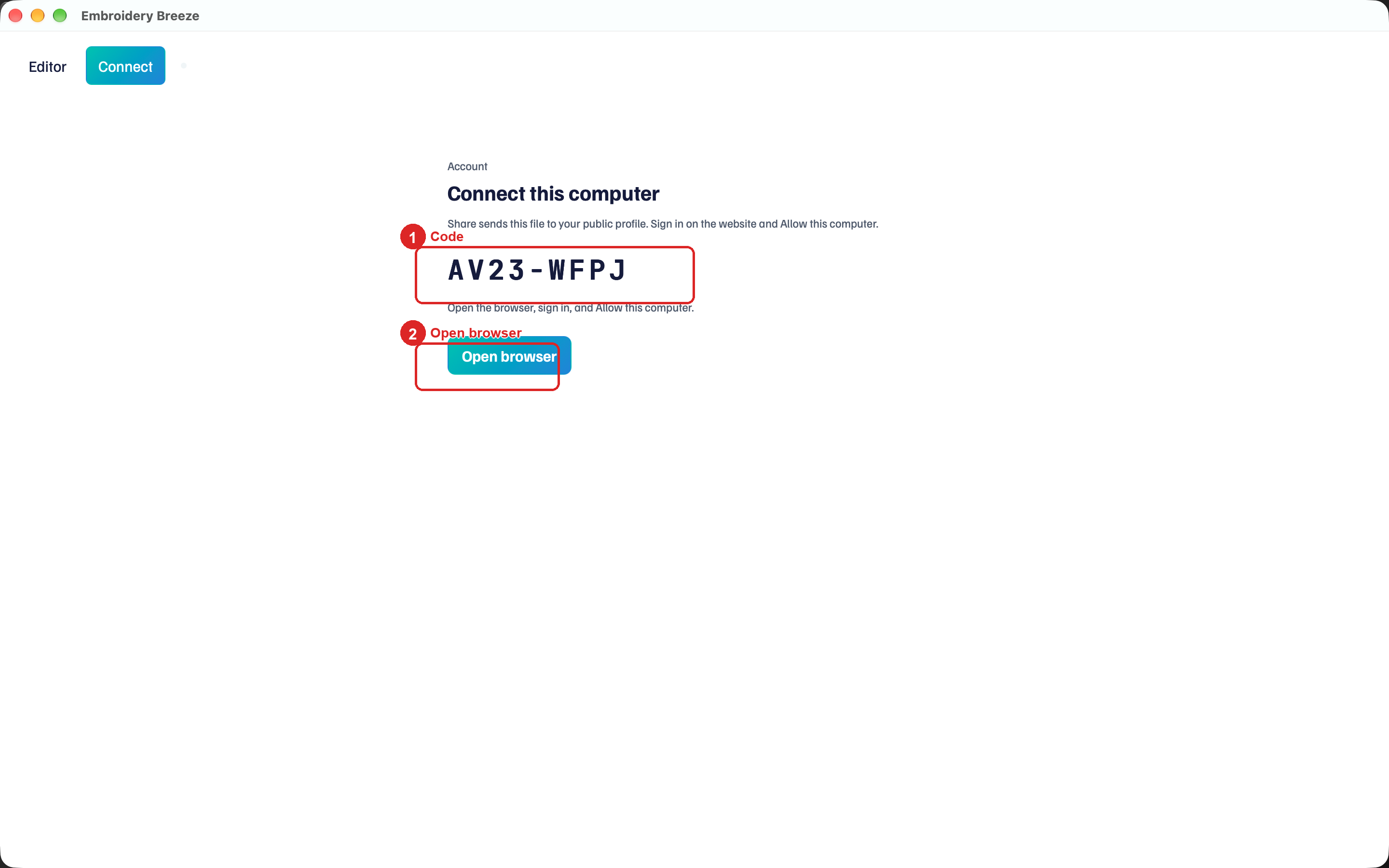
- Click Share.
- A short code appears under Connect this computer.
- Click Open browser. Sign in, then Allow this computer.
The hint: Share sends this file to your public profile. Sign in on the website and Allow this computer.
Settings → Connect account does the same. Disconnect leaves already-posted designs on the profile.
Send
After Connect, Share opens Share to your profile with a preview, Title, and Description. A font previews in its own letters.
- Type a Title.
- Add a Description if you want one.
- Click Send.
Visitors see the card on your public profile and can download the file. The local file is unchanged.
Share from Library or the font digitizer
In Library, select a file and click Share in its details. That works for a .breeze file, a .breezefont font, or a machine file such as PES or DST, which is posted as it is. In the font digitizer, Share in the top bar posts that font.