
Files
Save a .breeze file
SummaryKeep the editable design, rename it, save it as a new file, and get it back if the app closes.
A .breeze file is the design you reopen and keep editing. Save writes that file. Export writes a separate file for the machine.
Save
The name field and the disk sit in the top bar, after Library.
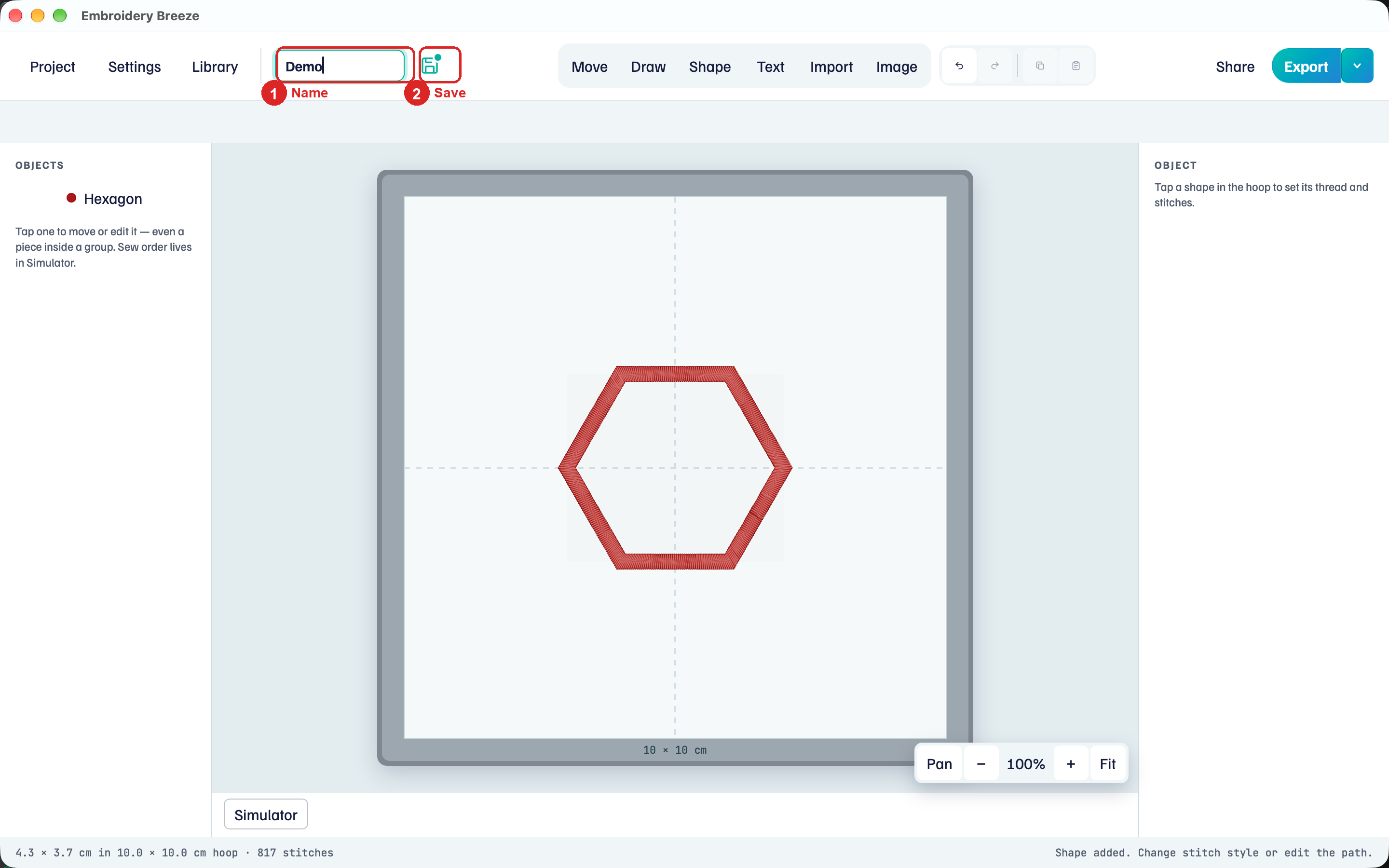
- Click the name field and type a name, such as
Demo. - Click the disk, or choose Project → Save (⌘S).
- The first save opens in the Embroidery Breeze folder in Documents. Keep it, or pick another folder.
Later saves update the same file without asking.
The disk tells you where you stand:
- Teal, with a dot. There are unsaved changes.
- Dark, with a small check. This version is saved.
- Dark, nothing on it. A new design with nothing to save yet.
The Embroidery Breeze folder in Documents is always in the Library, so designs you save there show up in it. Project → Recents reopens a design you opened or saved on this computer. Clear recents at the bottom of that list empties it.
Save needs a license after the trial. Settings shows the license on this computer.
On iPad and Android, there is no folder to pick. The first save goes to the app's own folder. On iPad, a picker then lets you put a copy somewhere else too.
Rename
The design's name is its file name.
- Click the name field and type the new name.
- Press Return, or click somewhere else.
Before the first save, the name is what Save calls the file. After that, the file is renamed to match, and the status line says, for example, Renamed to Demo 2.breeze.
Opening a file sets the name to that file's name.
Save as
Save as writes the design to a new file, and you keep working in the new one.
- Choose Project → Save as (⇧⌘S).
- The dialog opens in this file's folder and suggests the name with
copyadded, such asDemo copy. - Change the name or folder if you like, and save.
Edits you have not saved go into the new file. The original stays as you last saved it. The status line says so, for example Saved as Demo copy.breeze. Demo.breeze stays as it was last saved.
Use Save as to start a variation without touching the original. A design that has never been saved gets an ordinary first save.
Unsaved changes
Some actions replace the design on the hoop. If it has unsaved changes, Embroidery Breeze asks first:
- Project → New or Project → Open
- a design under Project → Recents
- Open on a design in the Library
- Create a new design, or a design picture, in the Welcome or Help
- closing the window
The title is Save your changes? The hint: This design has unsaved changes.
- Save writes this
.breezefile, then continues. - Don't save continues without writing.
- Cancel stays in this design.
If the app closes
Embroidery Breeze keeps a draft of the design a moment after each change, and again when the app goes to the background. The draft is not your .breeze file. Only Save updates that.
- On a computer. Closing the window asks about unsaved changes, and the draft is dropped when the app quits. If the app crashes, the next launch brings the design back.
- On iPad and Android. The system can close the app in the background without warning. The next launch brings the design back, unsaved changes included.
When a design comes back, the status line says Brought back your last design. If it had been saved before, it is still linked to its file, so Save updates that file. A blank hoop that was never saved is not kept.
Project → Open opens a .breeze file. Import adds objects to this hoop: Import SVG and other Breeze files.